
Read books digitally
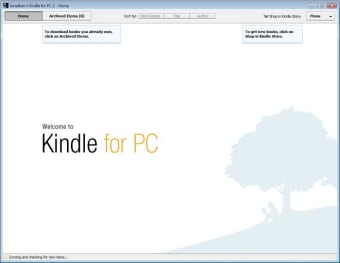
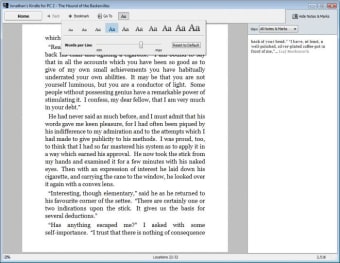
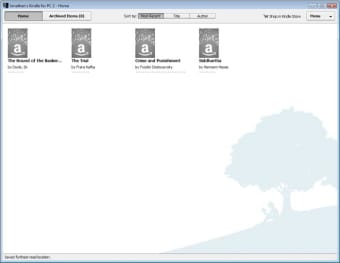
Kindle for PC is Amazon's free-to-download desktop application designed to provide a seamless e-reading experience on Windows computers. It allows users to sign in and access their Kindle library, purchase new titles, and enjoy e-books directly from their desktop without the need for a physical Kindle device.
Top Recommended Alternative

Kindle is a device or software where one can read books, chosen from a library containing millions of options. The Kindle for PC is particularly useful for those who prefer reading on a larger screen or wish to have their e-books synchronized across multiple devices.
E-reading made easy with Kindle
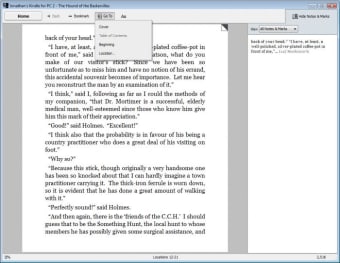
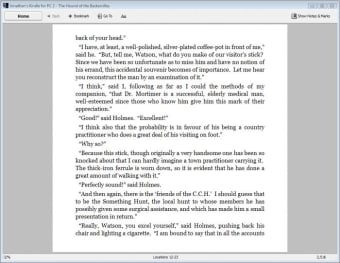
Kindle for PC can be downloaded as an app or bought as a device. It can be used over the web and is available in a number of versions. Through the Amazon account, one can log into Kindle from anywhere. The various versions offer several features like backlighting, dictionary, thesaurus, bookmarking, organizing titles, and more. Apart from the act of reading, the Kindle also attempts to enhance the reading experience.
Any avid reader will tell you that the act of reading is exciting because of the possibility to immerse oneself in a new world, getting to read stories and experiences. One doesn’t need to have a large collection of physical books to be exposed to a million stories. This app opens up the entire Amazon Library, including over a million titles. However, performance issues persist, especially on older devices.
It's a big advantage to be able to access titles and stories from around the world. By simply purchasing the Kindle version of a book or story, one can have access to any book or title from anywhere. All genres of literature are available in around 44 different languages. With this e-reader, you’re able to read several book titles, opening up the sphere of choices wide open.
A world of books at your fingertips
Kindle for PC provides an accessible and convenient way to enjoy millions of e-books directly on your desktop. With features like bookmarking, dictionary support, and cross-device synchronization, it enhances the digital reading experience while opening access to a vast global library in multiple languages. Although performance may lag on older systems, this app remains an excellent tool for avid readers seeking flexibility and variety in their literary adventures.